

Appearance by rarity
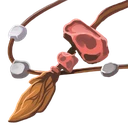
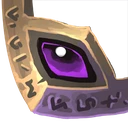

Implicit stats by level
Implicit stats provide an item’s base power. As its level rises, both its name tier and values improve.
| Item level | Name | Implicit stats |
|---|---|---|
| Lv 10 | Fine Totem | Healing Power +4%, Attack Power +5 |
| Lv 40 | Fabled Totem | Healing Power +7%, Attack Power +44 |
| Lv 80 | Dimensional Totem | Healing Power +11%, Attack Power +329 |
Step-by-step instructions
Inventory
Inventory
The bag holds 500 unequipped items. Equipped gear does not count against that total. Inventory is for inspection and equipment; selling is in the Cube.
More information
Choose a compatible owned item and hero. Check class, slot and level requirements and the stat comparison before equipping. Unequipping needs bag space. Successful equipment changes refresh current battle stats; locked items may block changes.
Search — name or type
Search and rarity/type filters narrow the visible list without removing items. If the list is empty, clear the search and choose All in both filters. Selection may disappear when an item is filtered out.
Rarity
Sorting changes display order by rarity or level. It does not equip, sell or improve an item. The other active filters still apply.
Rarity
Search and rarity/type filters narrow the visible list without removing items. If the list is empty, clear the search and choose All in both filters. Selection may disappear when an item is filtered out.
Weapon
Search and rarity/type filters narrow the visible list without removing items. If the list is empty, clear the search and choose All in both filters. Selection may disappear when an item is filtered out.
All
Use Clear filters when it is shown; otherwise clear the search and set rarity and type to All. This restores the visible list without changing your bag.
Details
Select an item card to inspect its rarity, level, type, stats, upgrades and sockets. The hero selector controls comparison. Red and green differences are stat changes, not a guaranteed combat outcome.
More information
Choose a compatible owned item and hero. Check class, slot and level requirements and the stat comparison before equipping. Unequipping needs bag space. Successful equipment changes refresh current battle stats; locked items may block changes.
Equipment
Uses the game’s existing DPS calculation. Permanent bonuses, upgrades and runes are included in stats. Active skills, temporary effects, target defense and elemental/special damage bonuses are excluded from DPS; relevant stats appear below.
Equipment
Choose a compatible owned item and hero. Check class, slot and level requirements and the stat comparison before equipping. Unequipping needs bag space. Successful equipment changes refresh current battle stats; locked items may block changes.
Item protection
This Inventory screen has no lock toggle. Existing item protection is checked by equipment, preset and workshop operations. Read each operation’s exclusion rules and confirmation; do not assume every item is protected.